Two months ago an article appeared in our local paper. It was actually a devotion that was submitted by my pastor, Dr. Michael LeFebvre. I read a quote from this at a recent conference session that was focused on technology innovations in the classroom.
"A century ago, people thought that technology was going to make life less stressful. I have an old volume on my shelf called Achievements of Americans, published in 1859, that illustrates that optimism. Marvelling at the pace of innovation even then underway, the 19th century writers of that book exclaimed, “invention after invention crowd so thick upon us, that astonishment ... is only equaled by our wonder ... [at] the eventual result of all these ... upon our condition.” The hope was that improved technologies would bring greater harmony and peace to the human condition."
I know that peace and joy are not found in the latest piece of technology, but in the Lord. Teaching is hard work, especially striving to teach with excellence. I taught the topic of energy recently and I was reminded again of some encouraging words that Paul wrote in a letter to the Colossians, "...teaching everyone with all wisdom, that we may present everyone mature in Christ. For this I toil, struggling with all His energy that He powerfully works within me." Yes, that is where I want to get my energy. I pray that even though frustration may accompany the learning of anything new, that this article may bring some peace and encouragement to some.
So what is my philosophy/theology of technology? It is part of the dominion mandate in Genesis 1:28. I recently read Foundational Concepts of Christian Education that is on the Geneva College website. It discusses the implication of this for the school, student, curriculum, and discipline. But what is the implication for educational technology? The pros and cons of adopting an innovation ought to be weighed as part of considering the cost. Recognizing the sinfulness of humans, safeguards should be set up to protect and limit wrong use. The key thing to recognize is that technology is not the answer or goal, but is a tool to be rightly used.
The right tool for the right job. My grandfather used to say, "A place for everything and everything in its place."
 If you need a tool for a certain job, it is a lot easier to find it if it is where it belongs. We did try to do some organizing of the garage this summer, which is probably why it wasn't too difficult to find these tools pictured on the left. The old pipe wrench actually belonged to my Grandpa Bird. It is large, adjustable to various sizes and provides the mechanical advantage you need to turn a pipe that is really stuck. Now, I don't really know that from personal experience, because I've never needed to loosen or tighten a pipe. But I love it and think it is really cool.
I actually have a slide rule somewhere too. But I've never used that to solve logarithms or get a decimal approximation of a trigonometric value.
Similarly, since I started working at Covenant Christian High School in Indianapolis, I can't remember using a chalk board until the last week when I was helping out an older public school as a math coach. They had recently acquired some great technology and wanted to be encouraged to better utilize it.
Within the past couple of years, my dad got me this handy little socket set. I have had occasion to use some of the ratchets.
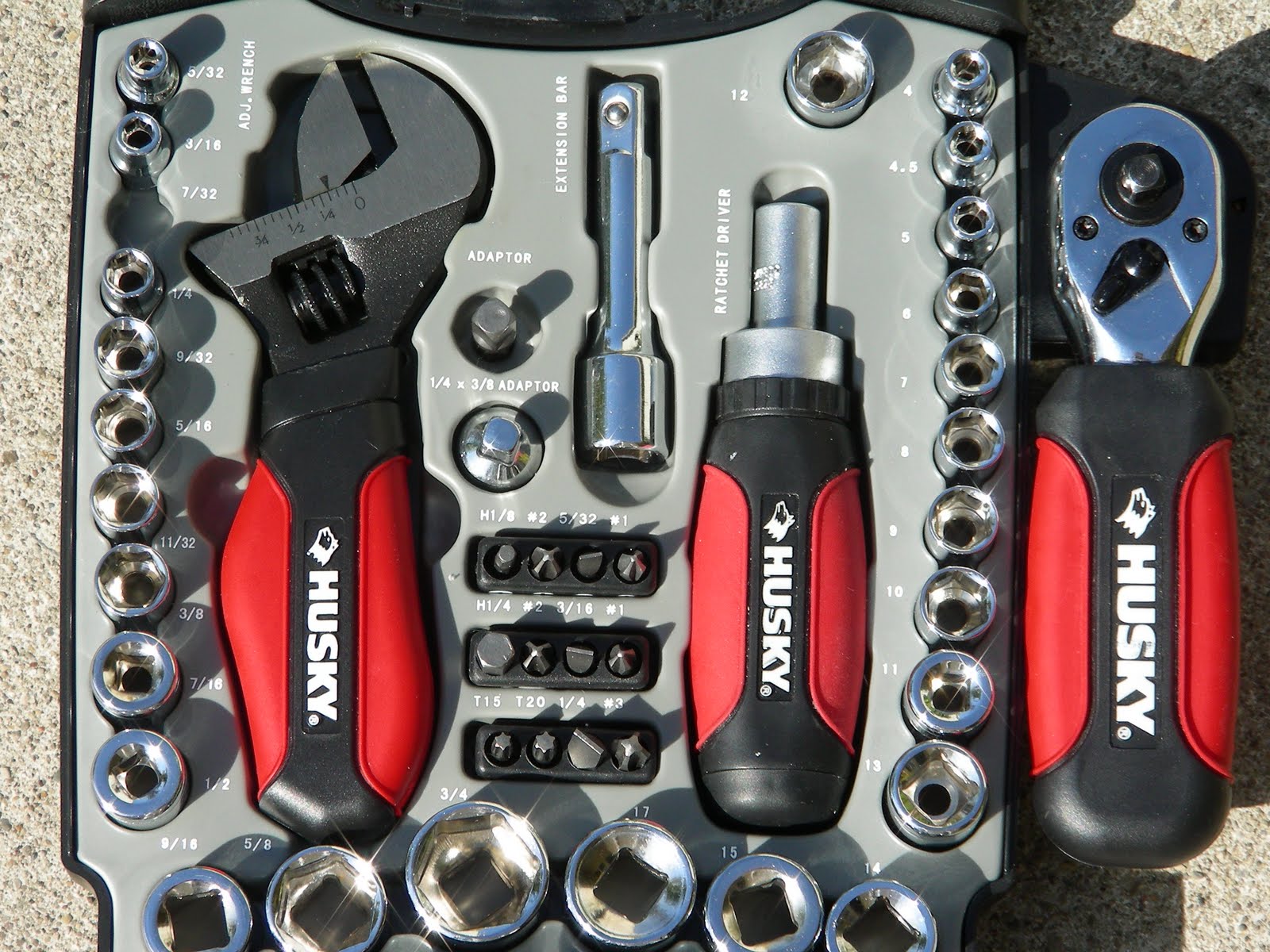 It has some nice features. For example, the tool in the middle can act like a typical screw driver when the appropriate tip is put on the end, but it has a ratchet mechanism that can be easily adjusted to tighten or loosen.
Like a four function calculator, this tool cannot do everything. The adjustable monkey wrench on the left wouldn't open to the size of a large pipe. Similarly, you can't easily graph a function on a scientific calculator.
With any interactive white board you should be able to write on in it and save your work, but not all of these tools are designed to particularly enhance the math and science classroom like SMART Notebook Math Tools can. I have enjoyed showing this off at conferences and using this tool in my classroom from the time it was only available as a free download in its beta form. A couple of weeks ago I had a wonderful time showcasing SMART's Math Tools to an outstanding group of middle and high school teachers at a Christian school in Cincinnati.
One thing I especially appreciate about Notebook Math is that it recognizes its limitations and encourages teachers to be aware of the value of graphing calculators and TI emulators. The SMART Notebook on the computers I've used these past several years can be used to launch my TI-Nspire CAS Teacher Software with its built-in TI-SmartView emulator capabilities.
 With some tools there is so much power and functionality that you may never use every piece. Even if I took a class to learn about the drill I have on the left, although I would learn more of what the different bits were for, I may not use them again. I really appreciate when a tool is intuitive and many things about it can be figured out without reading many manuals.
The sentiment that the TI-Nspire is intuitive to use has been the general impression I've seen in many students who have been introduced to it. A video that a friend from Scotland is in shows the engagement of the students, the formative assessment capabilities, and many of the other features that are gained by using the Nspire Navigator. I also appreciate that the operating system of the Nspire and Navigator have been improved over the years based on teacher feedback. These updates have come at no additional cost. This tip sheet says that it can take over 30 minutes to update the OS for every device in the classroom, but I've been able to do it many times in less than 5 minutes. The tip sheet is a bit dated, as there are now more ways to improve classroom connectivity.
Sometimes people do not use the best tool for the job. There are many reasons why this is true. If you want to see a variety of tools used for math and science education, the Teachers Teaching with Technology International Conference will be a good place to learn more. This has been one of my favorite conferences of the year.